


A Comparison of Free Background Remover for Portraits in 2024
Introduction
Have you been struggling with how to optimize your portrait photos? It is a well-known fact that in the field of portrait pictures, highlighting the subject of the person is the most crucial point. A clean image background can clearly highlight the characters, catch the viewer's eyes at a glance, and determine the final outcome of the image.
How to optimize the background of a picture has always been a problem for photographers and graphic designers. In the past, we used to rely on various photo editing software to manually process and erase background elements, which was tedious and time-consuming. Fortunately, with the advent of Artificial Intelligence, this task has become a quick and efficient process. Through online AI image processing tools, the background of an image can be removed or replaced without manual editing.
In the following article we have compared several of the most popular ai tools for removing image backgrounds in 2024, including image processing results and prices charged for your reference.
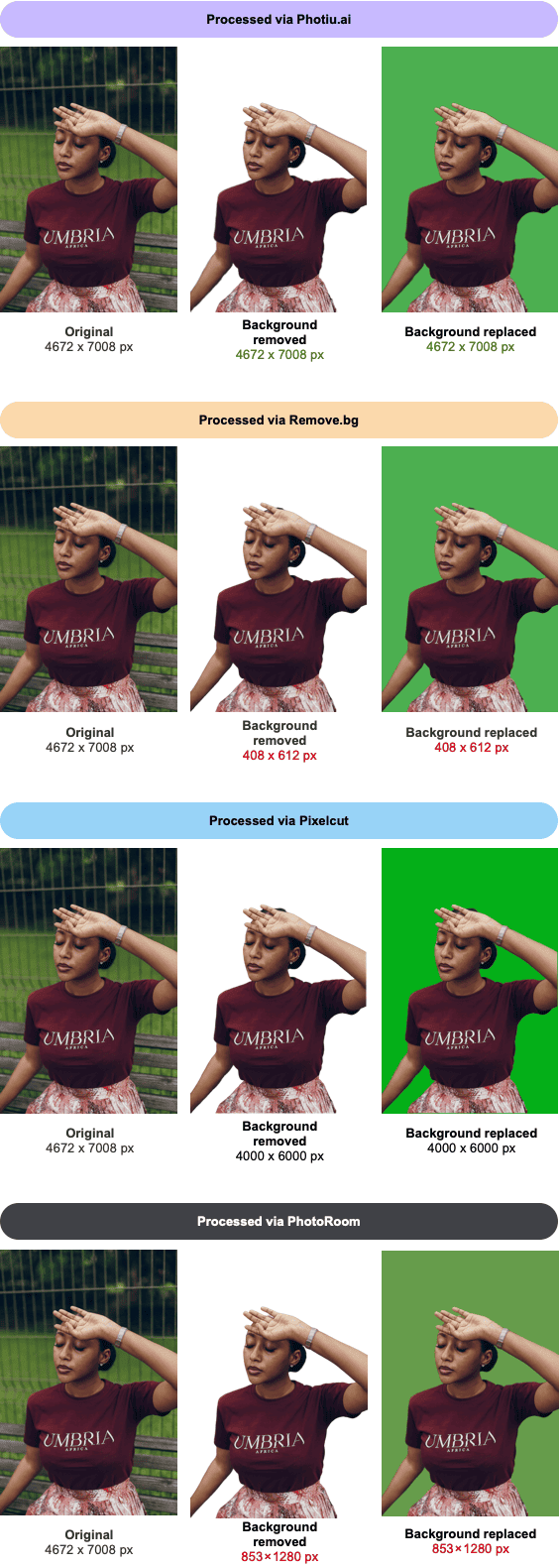
1. Photiu ai - https://photiu.ai/
Photiu.ai is a completely free AI background removal tool, especially for portrait images. Unlike many of its competitors, Photiu.ai allows users to remove background in HD quality and download the edited images for free. It works quickly and efficiently with the intricate details of portraits.
- Pros: Free download of HD results; excellent detailing
- Cons: Limited additional features, a few ads
- Pricing: Free
2. Remove bg - https://www.remove.bg/upload
Remove.bg is one of the most well-known AI background removal tools. It delivers high-quality results in just a few seconds, making it an excellent choice for users who need fast and efficient results. However, the free version limits image quality, and users need to pay to download images in HD.
- Pros: Quick processing and easy to operate
- Cons: Poor image quality in the free version (less than 1/10th of the resolution of the original image)
- Pricing: Starts at $0.20 per HD image, subscription plans from $9/month
3. Pixelcut - https://www.pixelcut.ai/t/background-remover
Pixelcut offers a range of tools designed to make background removal and other photo edits easy and efficient. It provides precise background removal but often requires a subscription for high-resolution downloads and additional features.
- Pros: Variety of editing tools; API integration available
- Cons: Limited free features
- Pricing: Two subscription plans available at $9.99/month and $59.99/year
4. PhotoRoom - https://www.photoroom.com/tools/background-remover
PhotoRoom offers a robust background removal solution with additional editing features, such as creating product photos or enhancing portraits. While its AI works well on portrait backgrounds, especially in retaining detail around hair, its premium features like HD exports and editing tools require a subscription.
- Pros: Additional photo editing tools
- Cons: Quality of free exports is limited
- Pricing: $4.99/week, $12.99/month and $89.99/year for the pro version, which includes HD background removal
5. Erase bg - https://www.erase.bg/upload
Erase.bg is a free background removal tool that is a viable option for users who need to do portrait editing without paying for it. While it performs well in general use, it may struggle with highly detailed or complex portrait backgrounds.
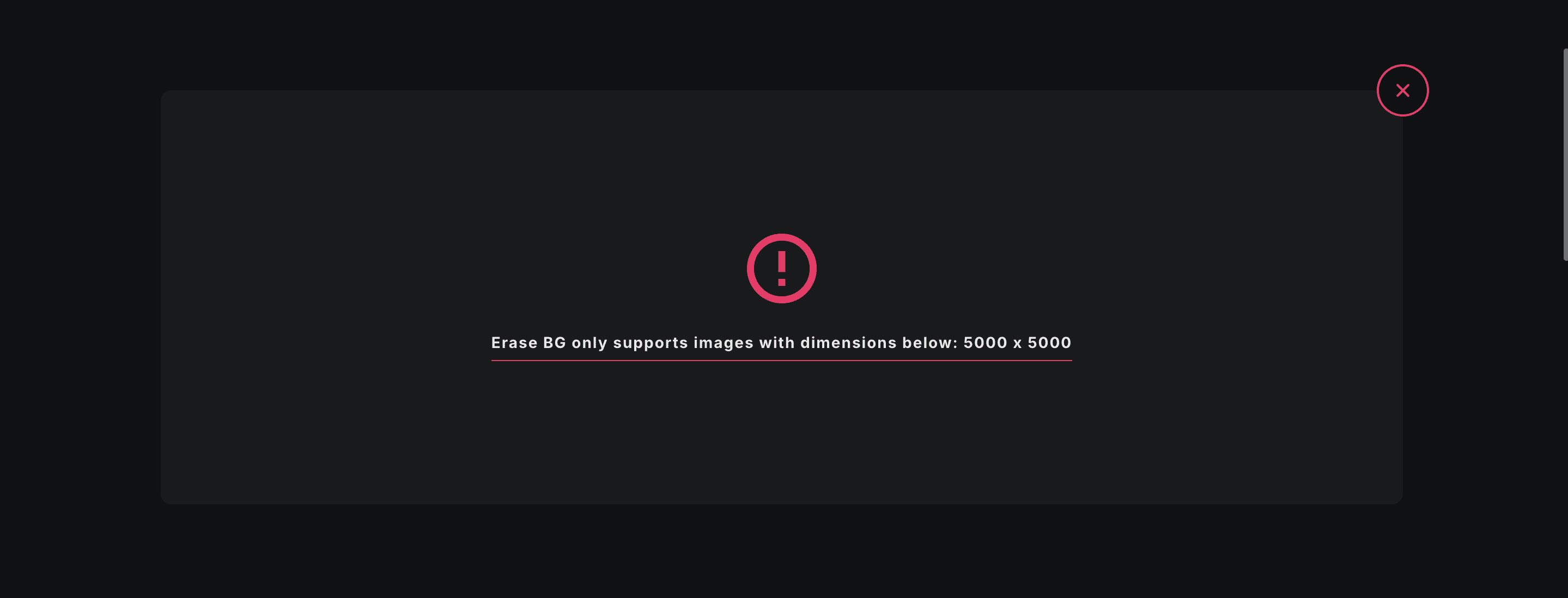
Unfortunately, our test images failed to process on Erase.bg, which only supports processing images up to 5000 x 5000 in size.
- Pros: Easy-to-use interface
- Cons: Lots of ads, can't handle large image sizes
- Pricing: Free
Final Summary
All in all, AI tools for removing portrait backgrounds have come a long way in terms of accuracy, speed and ease of use. While some tools (such as Remove.bg and PhotoRoom) require payment to provide premium features, Photiu.ai stands out by providing similar results completely free of charge. Its artificial intelligence ensures precise and clean removal of backgrounds, especially in portrait images, and allows HD downloads without any subscription fees.
If you want to improve the quality of your portraits and try to remove the background, Photiu.ai is a good option as a background remover free tool that allows you to explore the possibilities of artificial intelligence to enhance your images without spending a lot of money.
As artificial intelligence technology continues to evolve, the possibilities for improving image quality are endless. Designers or photographers can venture into these AI tools, including bg removers, not only for convenience but also to help tap into new creativity in the field of portrait photography.
 すべての記事に戻る